
How to Write With AI Without Sounding Like a Robot
Ever get AI to write something, then realize it sounds nothing like you?
AI can help you write faster and polish your prose, but it can also make you sound like everybody else. Or worse: like a robot.
But that doesn't mean you should ditch AI as a writing assistant. In this article, I'll share four ways to get writing help from your favorite chatbot while keeping your voice intact.
First, let’s look at how AI sounds when you let it run on autopilot.
What AI sounds like
So much content pokes fun at AI these days (here’s a current favorite). Why? AI often sounds… off. You've probably noticed it, too, even if you can't quite put your finger on why.
Here’s what gives AI away:
The wrong tone
It’s not that AI doesn’t know what to say; it just doesn’t know how to say it. AI struggles with tone – so an AI-written apology can feel fake, and a serious request can come off harsher than intended.
Unusual word choices
AI often picks words you’d never use in conversation – like “tapestry,” “realm,” and “delve.” It also leans on the same adjectives, verbs, and transitions so often that they’ve become AI-reliable “tells.” (See this list.)
Wordy generic phrases
AI uses tons of words to say very little – like “delivering actionable insights through in-depth data analysis.” If you find yourself reading a sentence twice and still don’t understand it, AI might be to blame.
It’s not X – it’s Y statements
“And so I went back home. Not because I had to. But because I wanted to.”
AI loves this pattern. It presents a potential misconception, then corrects it. The goal? To make the writer sound like an authority. No wonder it’s popular on LinkedIn! Once you notice it, you’ll start seeing it everywhere in your feed.
Exaggerated emotions
When it comes to feelings, AI tends to overdo it. Phrases like “I want to share my heartfelt appreciation” or “I feel deeply honored” – for everyday events like attending a workshop or earning a certificate – are often a sign that AI’s involved.
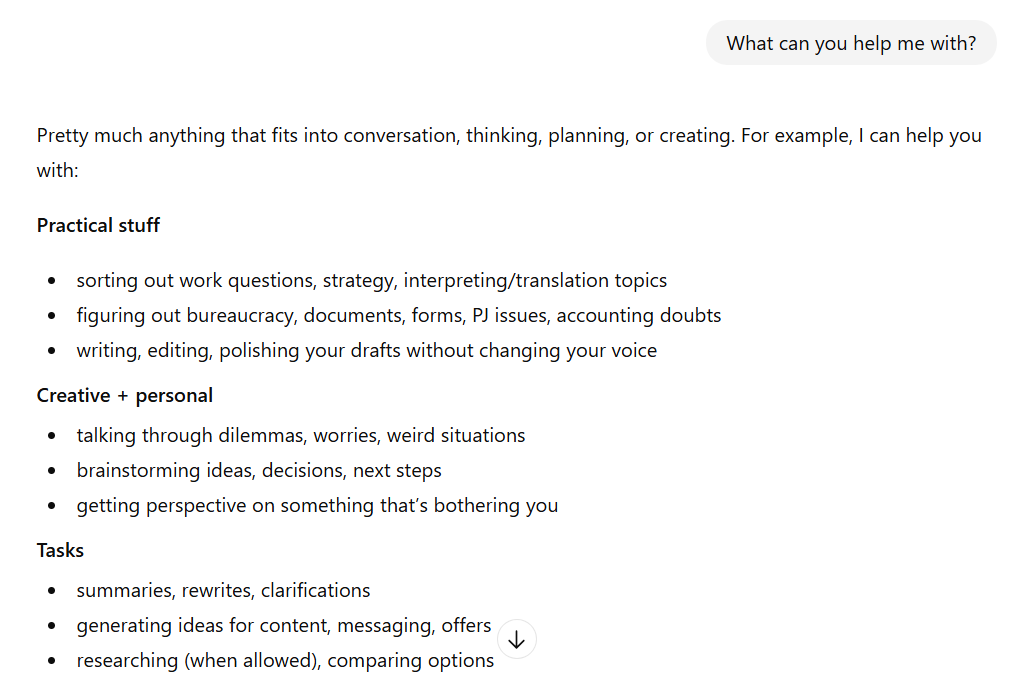
ChatGPT gives examples in sets of threes
An obsession with threes
AI examples almost always come in threes. To be fair, many of us do this too – the rule of three says that three is more memorable and satisfying than any other number. But AI takes this to the extreme, forcing triads everywhere.
… and em dashes
Some AI models (I’m looking at you, ChatGPT!) favor em dashes over any other punctuation. If every other sentence has one – and it’s there to create suspense where none is needed – there’s a good chance you’re looking at AI-generated text.
Note: Individually, these patterns don’t always signal AI. Some people (like me!) naturally use dashes or follow the rule of three. (Although I’m an en-dash guy.) But when multiple tells appear in the same piece, and personality is nowhere to be found… that’s when your AI detector should start beeping.
Four ways to make AI writing sound more human
Now that you can spot AI’s quirks, here’s how to make it sound more like you.
1. Set custom rules for how AI should write
Giving the AI a set of guidelines can fix most – if not all – of the quirks we covered above.
For example, you can tell it to:
Avoid em dashes.
Use plain language instead of jargon.
Setting preferences ahead of time gets you better output with less back and forth. For instance, my custom instruction to “Always use active voice” has shaved time off every edit.
You can also set rules that reflect your style or brand:
“Write everything in lowercase”
“Use en dashes (–), not em dashes (—)”
Here’s how to set rules on each AI chatbot:
ChatGPT: Click your avatar > Personalization > Enable Customization. Enter your rules under Custom Instructions.
Gemini: Click the Settings icon > Instructions for Gemini. Turn on the toggle and click Add to add instructions.
Claude: Click your avatar > Settings > General and add instructions under Personal preferences.
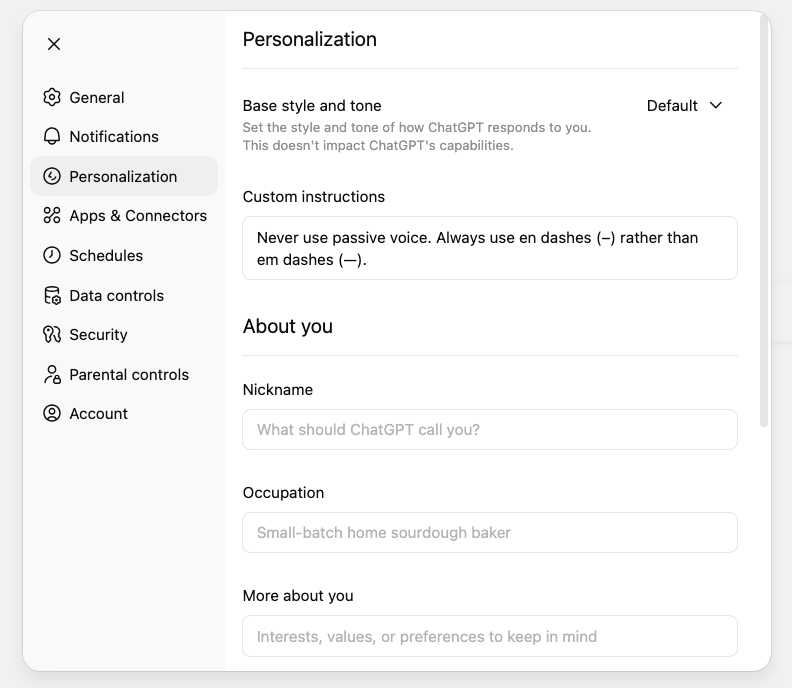
Personalize ChatGPT with Custom instructions
2. Train the AI on your writing samples
Feeding the AI your past writing is the fastest way to get it to match your voice. Here’s how I do it for my webinars:
Paste examples of past webinar copy.
Ask the AI to analyze my style and act as a professional editor, creating a mini style guide for future reference.
Share basic info about my next webinar and ask for three versions of copy based on my style.
Read through the three versions, pick the parts I like best, combine them into a single text, and tweak it.
This works really well – I get copy that matches my brand voice with minimal editing. You can do the same with LinkedIn posts, blog posts, or emails.
💡 Pro tip: On Claude, Lex.page, and Wordtune, you can save a style guide that the AI can reference whenever you create new content. That way, you always sound like yourself without extra prompting, even on off days.
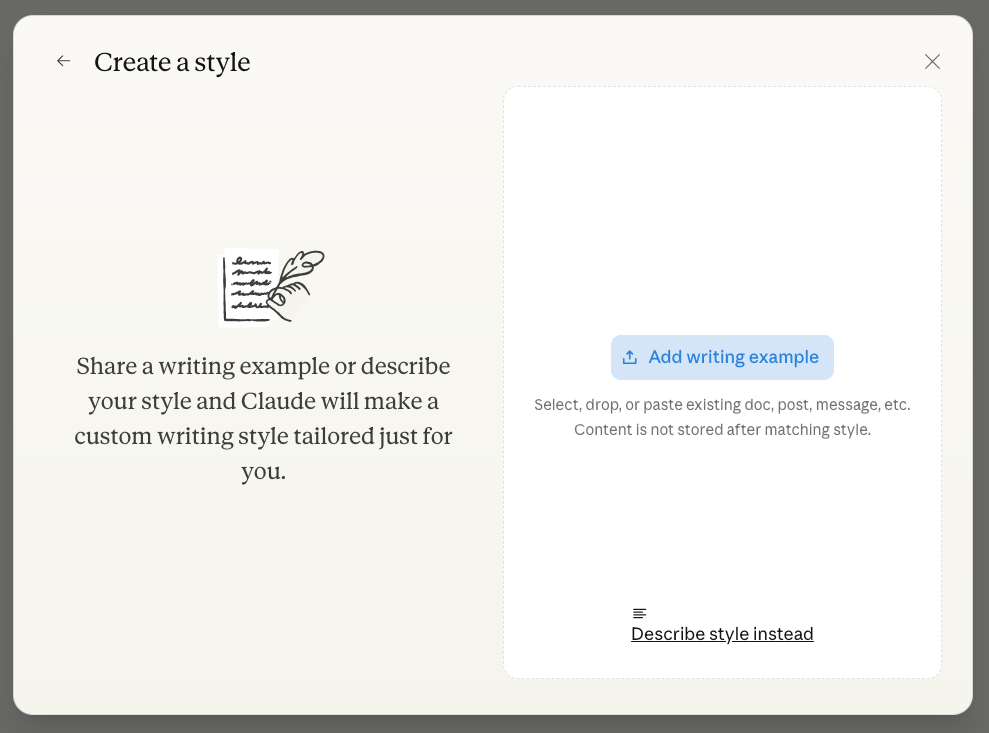
Create a style by uploading writing examples with Claude
3. Write it yourself with AI as your sidekick
Using AI doesn’t mean letting it take over. Instead, use it to:
Brainstorm titles, outlines, or angles for a blog post
Find synonyms, analogies, or alternative phrasing
Make sentences clearer, tighter, or punchier
Compare drafts against your style guide or other reference materials
Think of AI as a sparring partner: a soundboard to make writing easier and more inspired. Or as an editor that helps you trim extra words when you’ve been staring at your text too long to notice them.
4. Write first, then get AI feedback
Another approach is to draft the piece yourself first, then bring AI into the mix. For better results:
Tell the AI who and what the content is for (goal/audience) and where you plan to publish (platform).
Provide a reference – like your style guide or a content type, e.g., a “New Yorker profile” – to compare your writing against.
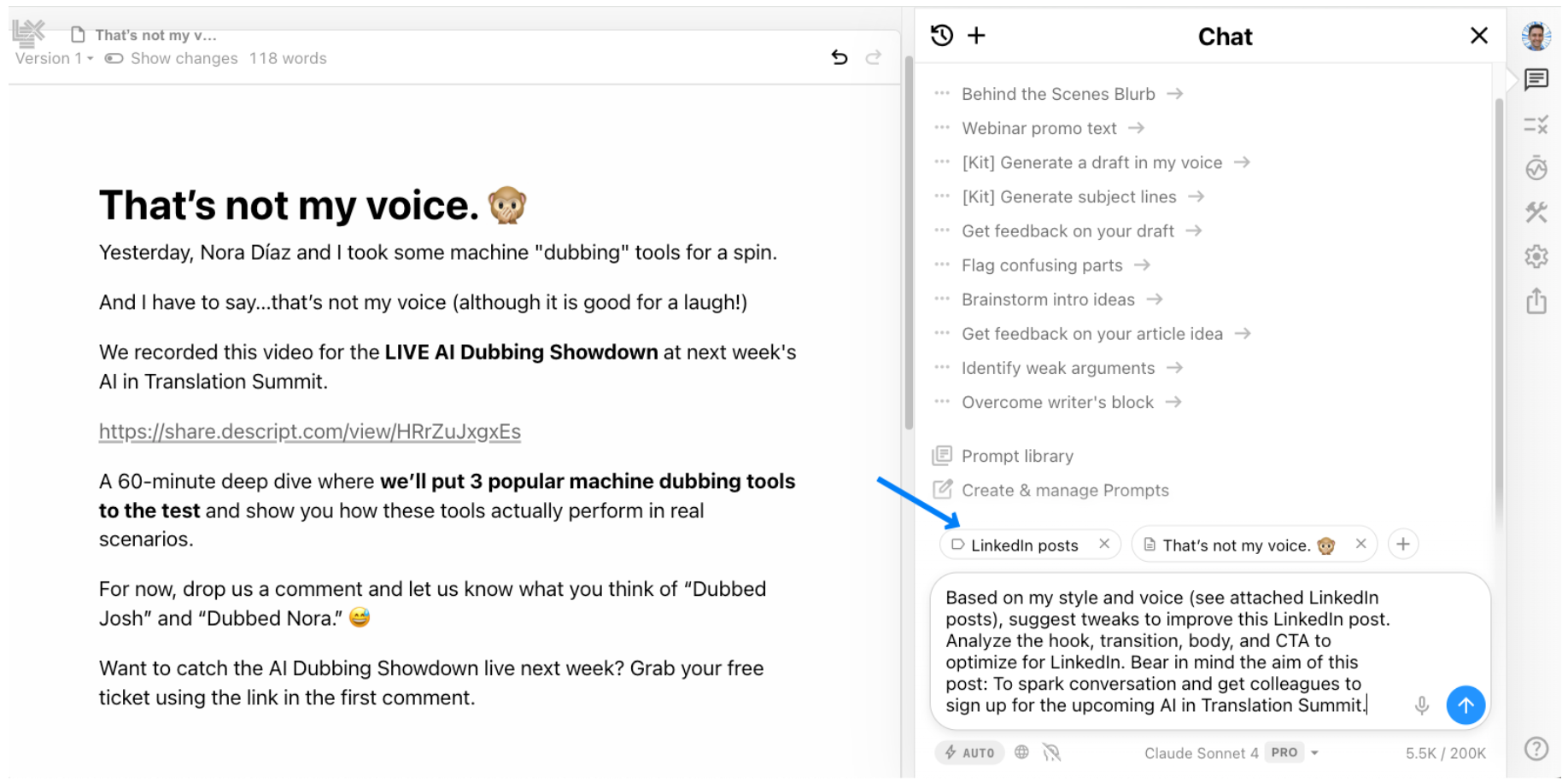
Using Lex.page and a detailed prompt to get targeted feedback based on my style guide
This also works well for translation and copywriting projects. Train the AI on your customer’s voice, then ask it to provide feedback and suggest changes to match that style guide.
Tips for writing with AI
Don’t use AI for everything
Use AI to save time on functional content. AI is great at creating short, snappy content – ads, meta descriptions, promotional copy. With the right prompts, it does this faster and better than most humans.
But for content that's aimed at building connections – blog posts, LinkedIn messages, personal emails – I recommend using AI sparingly, or not at all. In personal communication, imperfect and human wins over polished every time.
Avoid rewrites
AI loves to rewrite text – even when it’s perfect. (Paste a ChatGPT rewrite back in, and it’ll suggest another rewrite, editing to infinity.)
To avoid losing your voice:
Tell the AI to act as an editor: “Give me feedback, critiques, and questions only. Don’t rewrite.”
Or try Lex.page, Claude, or a browser extension like Wordtune, which help you tweak specific phrases without tempting you to rewrite your entire piece.
Write with AI without losing your voice
AI chatbots can be powerful writing assistants. With clear rules, writing samples, and good prompts, you can make them even better.
My recommendation? Let AI do the heavy lifting for functional content – ads, informative messages, and promotional copy. But for meaningful communication that builds relationships? Use it as a collaborator or editor – or not at all.